ReliCheck Pilot Study app icon

ReliCheck Pilot Study

Defend the instrument before the full study.

Write the survey, see a predicted Design Check before anyone answers, run a small pilot, and walk out with predicted and observed evidence in the same project.

Apple Silicon · macOS 14 or later · notarized by Apple · v1.0.0 · subscription required after a 30-day trial

The two scores

Predicted before data. Observed after.

Design Check scores the instrument from the writing itself. Results scores the same checks from the pilot sample. That sentence is the product: predicted and observed evidence in one place.

Pilot Study Design Check with predicted validity and reliability scores
Builder

Build the instrument the way you will defend it.

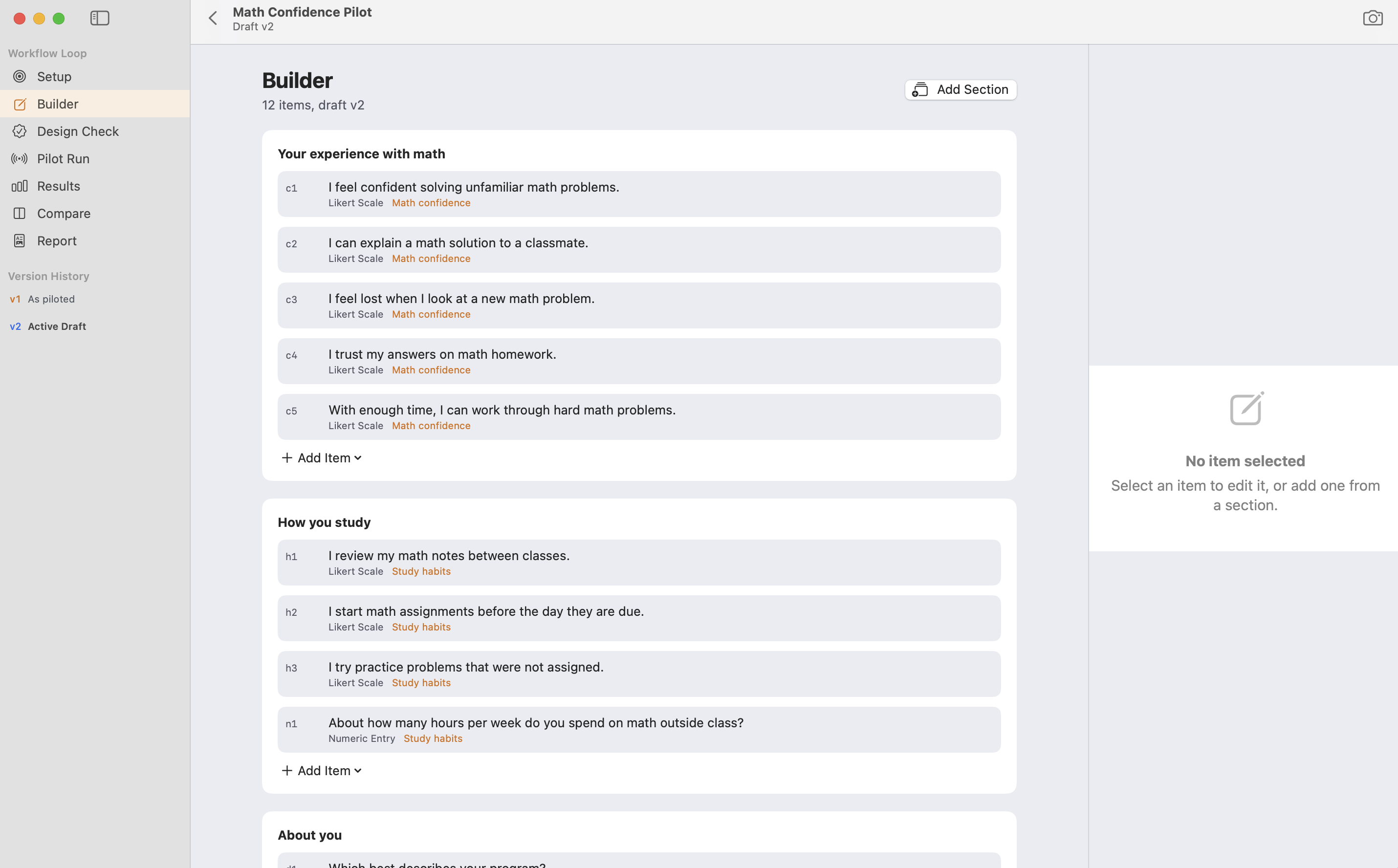
Sections, constructs, Likert, numeric, open response, and demographics in one draft. Every scored item maps to a construct before you collect a single answer.

Pilot Study Builder with Likert items mapped to Math confidence and Study habits
Design Check

Catch label stems and double-barreled items first.

Question quality, construct coverage, scale strength, and survey flow run as deterministic rules. Findings name the fix, so you revise while the cost is still small.

Design Check findings including stem quality and double-barreled items
Pilot Run

Link, QR, or Field Kiosk.

Host a temporary anonymous run, or lock a Field Kiosk session on the Mac. Field Pilot on iPad opens the same .rcpilot when the room is not the desk.

Pilot Study Pilot Run stage for collecting responses
Results

Alpha, CI, and item tables from the pilot.

Cronbach’s alpha with confidence intervals, item-total correlations, floor and ceiling, feasibility targets, and debrief text. Honest about what a small n can support.

Pilot Study Results with Cronbach alpha, confidence intervals, and item statistics
Compare

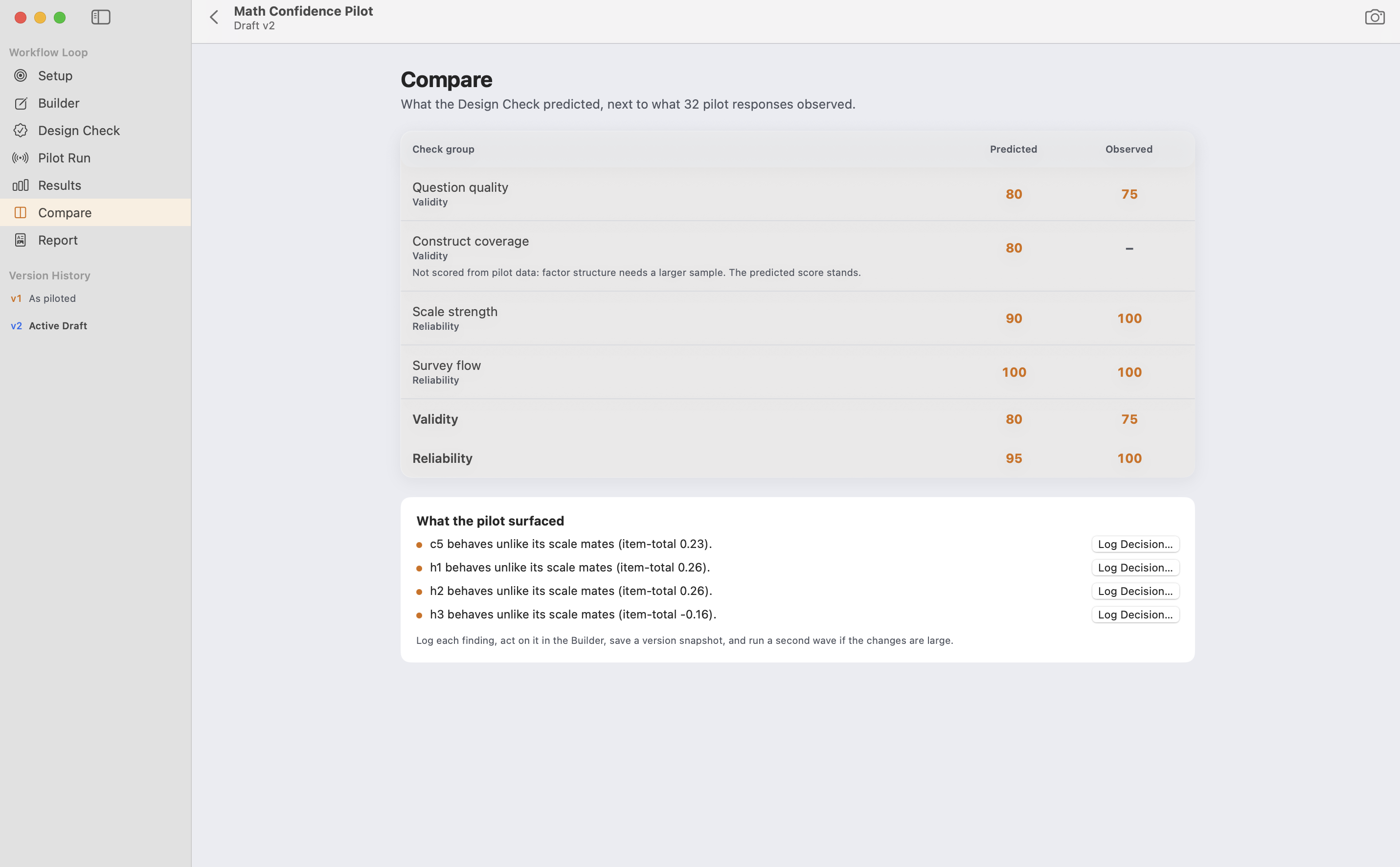
Show what the revision changed.

Line rounds up so reliability, flags, and completion are evidence, not recollection. Version history stays inside the same study file.

Pilot Study Compare stage for round against round
Report

Leave with a methods paragraph, not a screenshot pile.

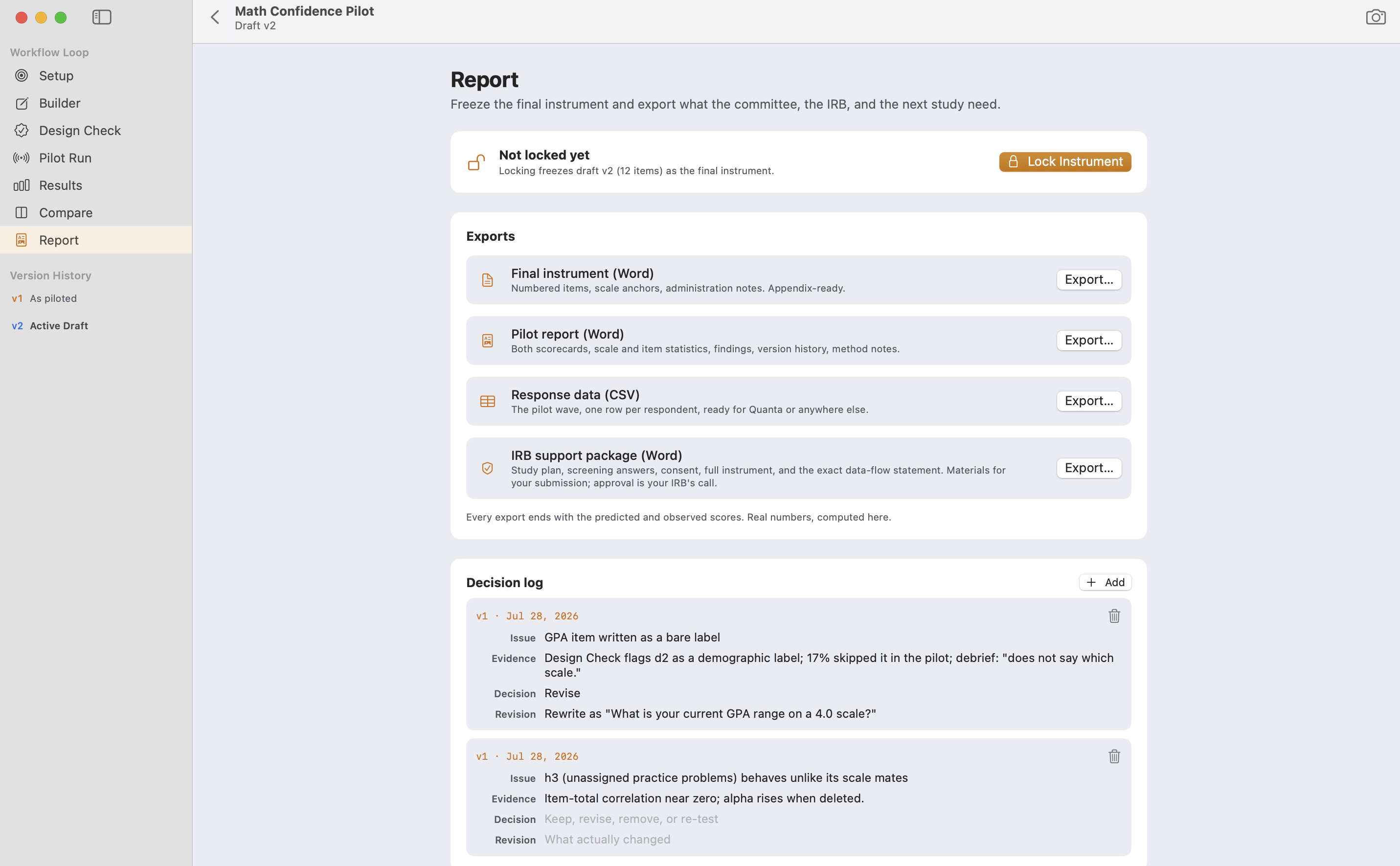
Export the checks, the field run, the reliability numbers, and the round story. Ready for the proposal, the IRB package, or the dissertation methods section.

Pilot Study Report export
The loop

Setup, Builder, Design Check, Pilot Run, Results, Compare, Report.

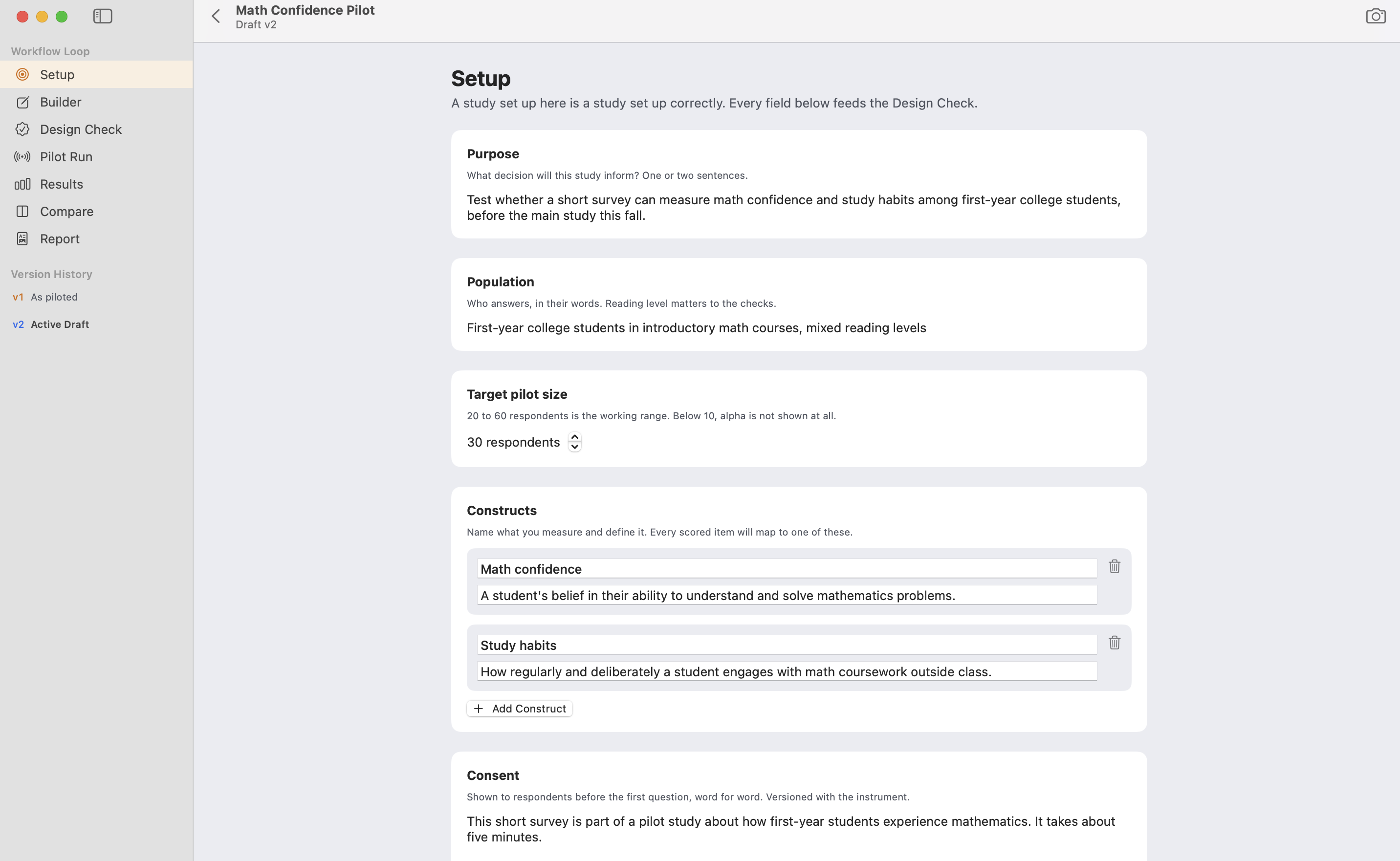
One .rcpilot document holds the draft, the responses, the decisions, and the version history. Hosted runs are temporary. The Mac holds the permanent record.

Pilot Study Setup for the Math Confidence Pilot
Pricing

One price. Buy it wherever you prefer.

Thirty days free, no account needed. Then one subscription for everyone. Subscribe in the app or get it on the Mac App Store. Same price either way. See plans

ReliCheck Quanta app icon

Quanta

Native to the Mac. True to your research.

Learn more about Quanta
ReliCheck Quala app icon

Quala

Your interviews, codebook and themes never leave your Mac.

Learn more about Quala

Resources

Common questions

What is a .rcpilot file?

It is the Pilot Study project document. Design checks, field responses, results, comparisons, decisions, and version history stay in one file you can move, back up, or reopen later.

What is the difference between Design Check and Results?

Design Check predicts scores from the instrument writing before anyone answers. Results observes the same kinds of checks from the pilot sample, including Cronbach’s alpha with confidence intervals.

Does Field Pilot replace the Mac app?

No. Field Pilot is the iPad companion for locked field sessions. Design Check, Results, Compare, and Report stay on the Mac in Pilot Study.

How honest is it about small samples?

Under 10 respondents, descriptives and flow only. From 10 to 19, alpha appears with instability labels. The app refuses to imply more than the sample can carry.

How does it fit with Quanta and Quala?

Pilot Study sits upstream of full analysis. When the instrument is ready, Quanta handles the quantitative strand and Quala the qualitative one; MM Studio integrates both.

How do I buy it?

30-day free trial, no account needed. Subscribe in the app, or get it on the Mac App Store. One simple price for everyone.