ReliCheck Findings Studio

FINDINGS STUDIO · IPAD

Walk in with the evidence ready.

Present Quanta findings on the iPad you carry into the room.

Findings Studio takes the analysis you finished on your Mac and puts it on iPad: each finding as a card, with its evidence strength, charts, assumptions, and talking points still attached.

Download on the App Store
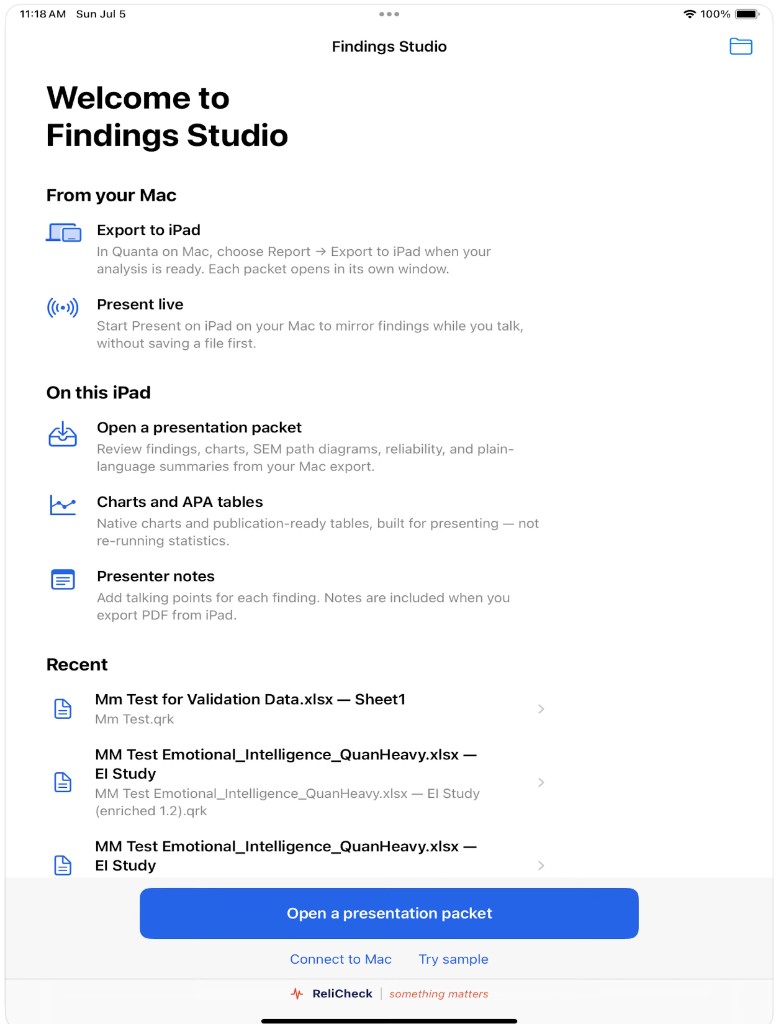
Findings Studio welcome screen: export from Quanta, open a presentation packet, and recent packets

Study Brief

Know what you are walking into.

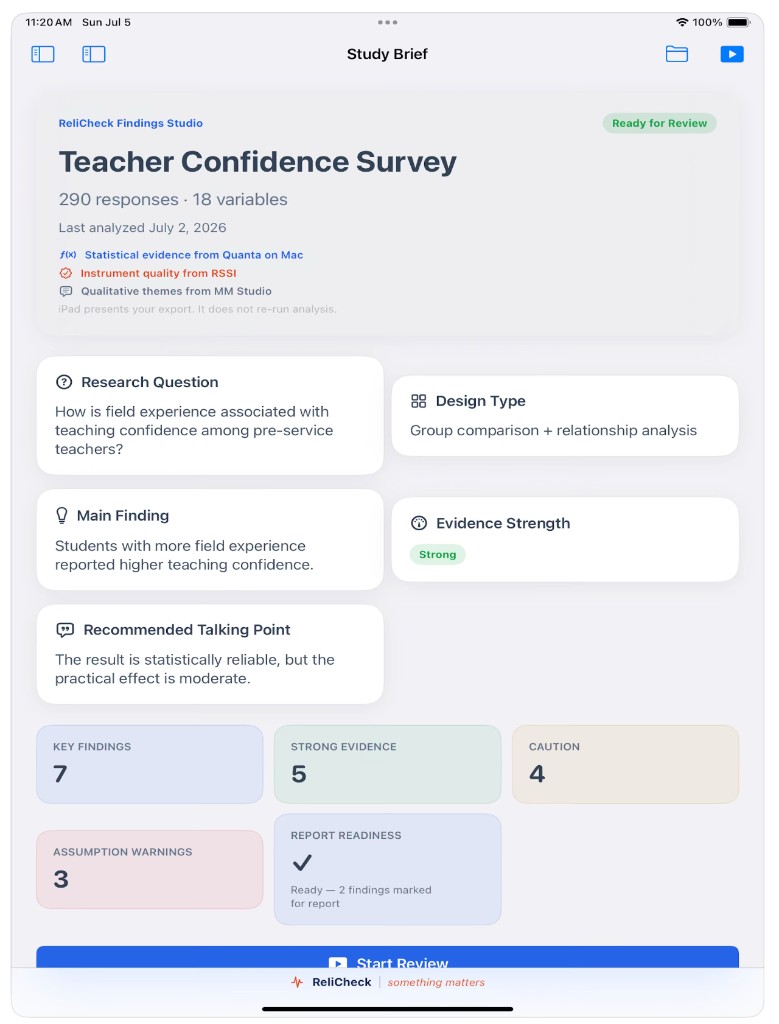
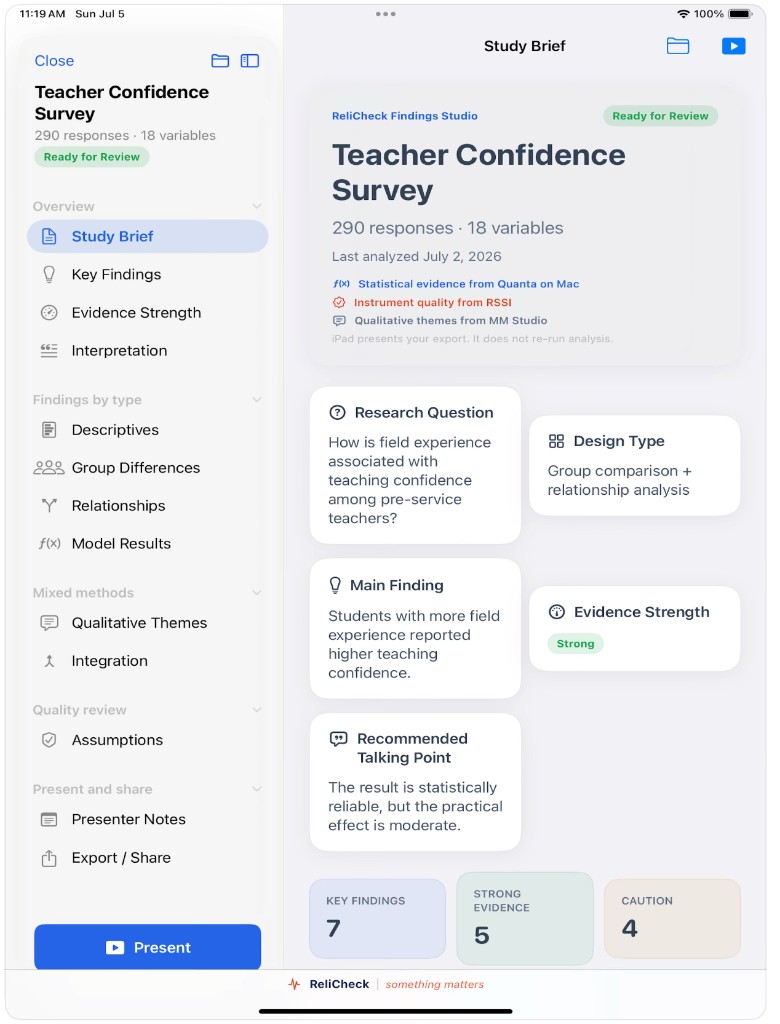
The brief opens with the research question, the main finding, evidence strength, and a recommended talking point. iPad presents your export. It does not re-run the analysis.

Study Brief for Teacher Confidence Survey with readiness badge, research question, and key metrics

Key Findings

Each finding arrives as a card.

Descriptives, group differences, and relationships land with their evidence strength, caution labels, and actions for explain, chart, stats, notes, and the report. Mark what you will defend before you stand up.

Key Findings cards showing teaching confidence results with Strong badges and mark-for-report actions

Evidence Strength

Strength stays visible.

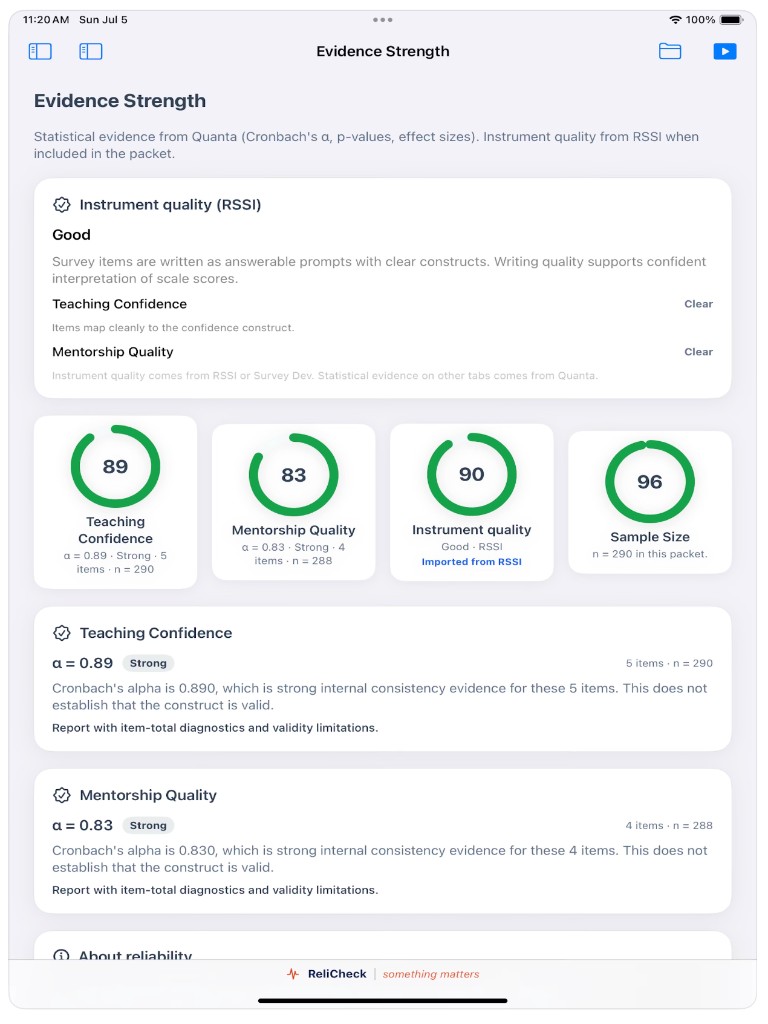
Cronbach's alpha, sample size, and instrument quality from RSSI sit with the finding. A strong scale and a thin one look different on purpose, before someone asks in the room.

Evidence Strength view with reliability rings for Teaching Confidence and Mentorship Quality

Assumptions

Say what the result can and cannot support.

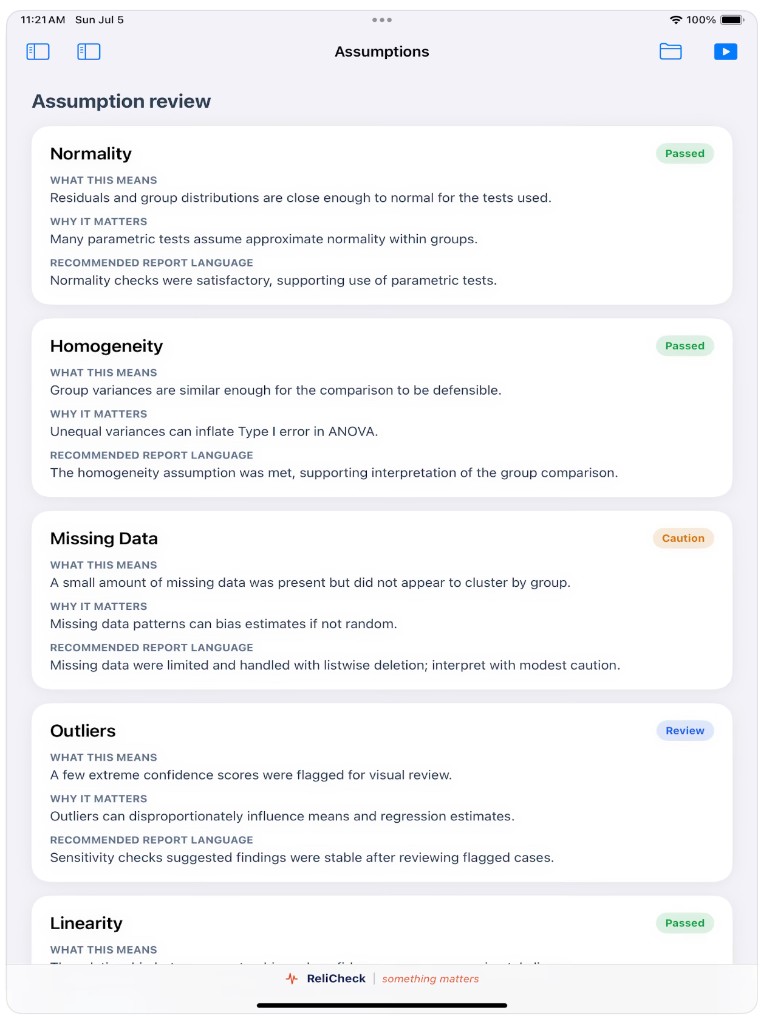
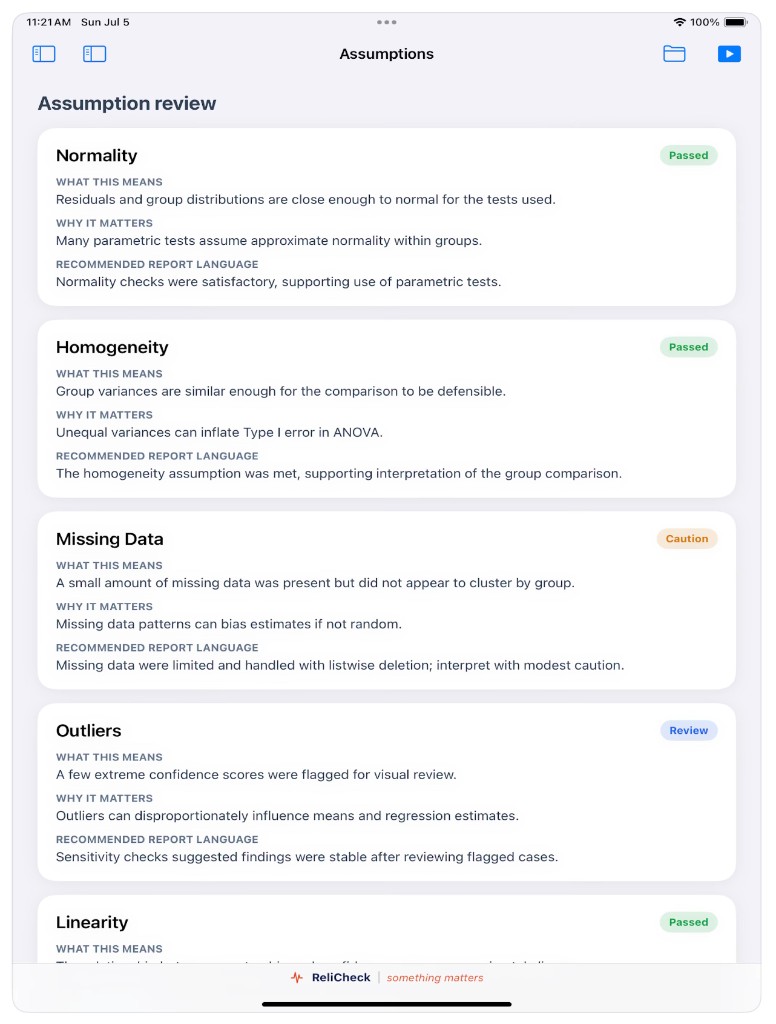
Normality, homogeneity, missing data, outliers, and more. Each check carries what it means, why it matters, and recommended report language, so honesty travels with the packet.

Assumption review cards with Passed, Caution, and Review status badges

Qualitative Themes

Quotes ride with the numbers.

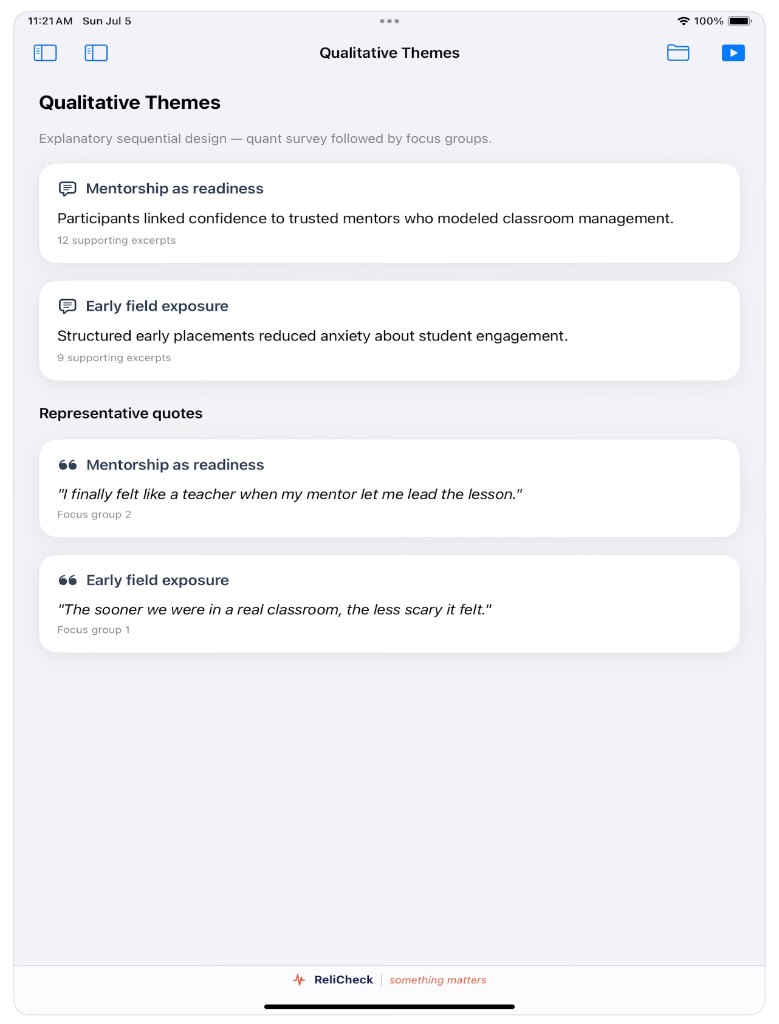
When Quala sends a presentation packet, themes and representative excerpts sit beside the statistics. Mixed methods evidence stays in one place instead of a second slide deck.

Qualitative Themes with mentorship and field exposure themes and representative quotes

Present

One sidebar for the whole room.

Move from the brief to findings, evidence, themes, assumptions, and export without rebuilding a deck. Start Present when you are ready to talk.

Findings Studio with sidebar navigation and Study Brief open for Teacher Confidence Survey

App Store

On the App Store for iPad.

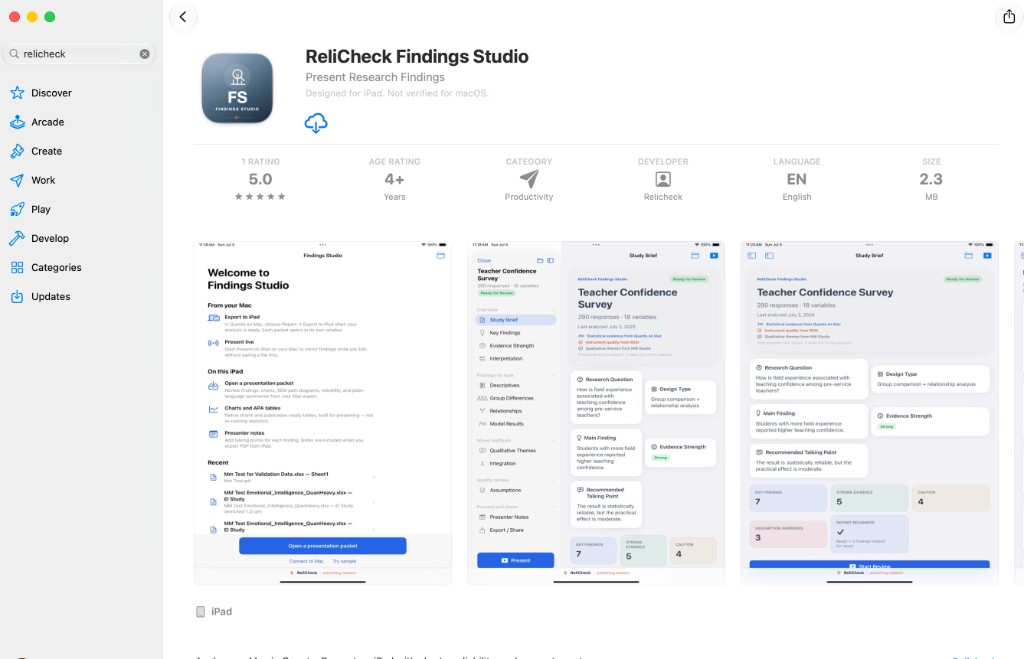
Search ReliCheck, open Findings Studio, and install on the iPad you take into the room. Designed for iPad.

ReliCheck Findings Studio on the Mac App Store, showing the app icon, rating, and iPad screenshots

Quanta

Where the statistics are run on Mac. Export to iPad when the analysis is ready.

Quala

Qualitative packets carry themes and quotes into the same presentation.

Field Studio

The other iPad end: collect in the field, then analyze on Mac.

Walk in with the evidence ready.

Download on the App Store